

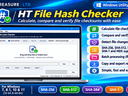
HT File Hash Checker
Version 1.0.0
Free Windows tool to calculate, compare and verify file checksums with SHA-256, SHA-512, SHA-384, SHA-1 and MD5. Paste a checksum and get a clear MATCH or MISMATCH.
Screenshots
Overview
Every time you download software, an ISO image or an important document, there is a simple way to be sure the file arrived complete and unchanged: compare its checksum. HT File Hash Checker makes that a one-click job.
HT File Hash Checker 1.0.0 is a pre-release: it works, and we are finishing the last tests before the final version.
Who can use it free
Free to install and use on any number of computers for personal, educational or business purposes.
System requirements
Windows 7 SP1, 8, 8.1, 10 or 11 (x86 and x64; Arm64 through emulation). Tested so far on Windows 11 x64.
Good to know
- Pre-release: fully working, but not yet the final 1.0.0 build.
- Signed with HTREASURE's own (self-signed) certificate, so Windows may show "Unknown publisher" and SmartScreen may warn.
- A matching checksum shows the file is identical to the original. It does not show that a file is free of malware.
Features
Verify downloads
Paste the publisher's checksum in any letter case and get MATCH, MISMATCH or ERROR. The algorithm is detected from its length.
Five algorithms
SHA-256 (default), SHA-512 and SHA-384, plus legacy SHA-1 and MD5, clearly labelled as unsuitable for security checks.
Files and folders
Drag and drop files or whole folders, including subfolders. Files over 4 GB are streamed and never modified.
Checksum manifests
Create and verify SHA256SUMS, SHA512SUMS and MD5SUMS files, and spot missing, changed or unexpected files.
Reports
Save results as TXT, CSV or HTML.
Works offline
No account, subscription or telemetry. An optional File Explorer menu item is available.