

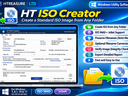
HT ISO Creator
Version 1.1.0
Free Windows tool that turns any folder into a standard data ISO image and verifies it file by file with SHA-256. Strict Mode never changes a filename without asking.
Screenshots
Overview
Need to archive a project, send a set of files as one image, or prepare a folder for burning to disc? HT ISO Creator turns any folder into a standard ISO image and then proves the copy is perfect.
HT ISO Creator 1.1.0 is a stable release.
Who can use it free
Free for personal, non-commercial use. Use by or for a business or other organisation needs a separate licence from HTREASURE LTD.
System requirements
Windows 7 SP1, Windows 8.1, Windows 10 or Windows 11, with .NET Framework 4.6.2 or later.
Good to know
- Creates data images only: it does not make bootable images.
- Unix permissions and symbolic links (Rock Ridge) are not supported.
- The program and installer are not digitally signed yet, so Windows SmartScreen may warn. Check the SHA-256 checksum first.
Features
Four file systems
ISO 9660 + Joliet (default), ISO 9660 only, UDF, and ISO 9660 + Joliet + UDF.
Long names and large files
UDF keeps names of up to 127 characters exactly and stores files of 4 GB and larger.
Strict Mode
An image is never created if any file or folder name would change. Compatibility Mode converts names only after you review and confirm each one.
Real verification
The image is read back by independent readers and every file is compared with the source by name, size and SHA-256.
Safe by design
Free space is checked first, the source folder is never modified and an interrupted job leaves no partial files.
Disc size check
See at a glance whether the image fits a CD, DVD, dual-layer DVD, Blu-ray or a custom size.